
The Powkiddy X18S is one of only a handful of clamshell style gaming handhelds on the market today. Gone are the days of Nintendo’s Gameboy Advance SP, DS and 3DS. And with the closure of the 3DS store that handheld has been effectively killed off unless you have a collection of cartridges to play.
Of course I have never really seen the Nintendo handhelds as more than Pokemon machines so I still have several of my old games to play in physical form.
Recently however I have been getting more and more into retro gaming and have picked up several different handhelds that I will have reviews coming for. But today we take a look at a clamshell device from Powkiddy.
Powkiddy launched early on in 2022 and did a revision later to fix some of the issues that reviews and customers had taken issue with. Yeah, we’re a little late to the party but better late than never right?
The Powkiddy x18s is an Android 11 powered handheld allowing for a lot of customizability.
DESIGN
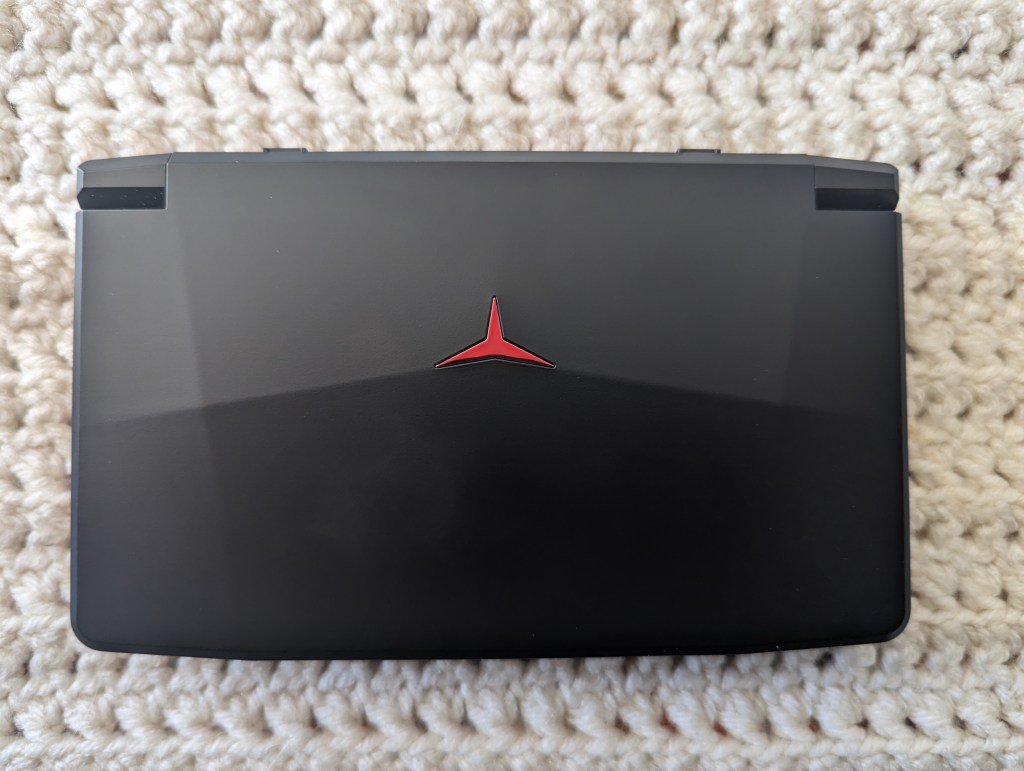
The x18s looks pretty when slick closed. On top and centred among the black fascia is a red emblem that lights up when the device is powered on. Both the left and right side are devoid of any details. The back has the unit’s L1/L2 and R1/R2 buttons. The L1 and R1 buttons feel like they are analogue triggers but they are not. Instead they have some travel before you ultimately click a microswitch beneath. The L2 and R2 buttons just go down enough to click their own microswitch. In between them we have a micro-sd card slot, mini HDMI port and the unit’s USB-C charge port. On the front we have the two speakers behind some funky chrome speaker covers and in the centre a 3.5mm headphone jack.
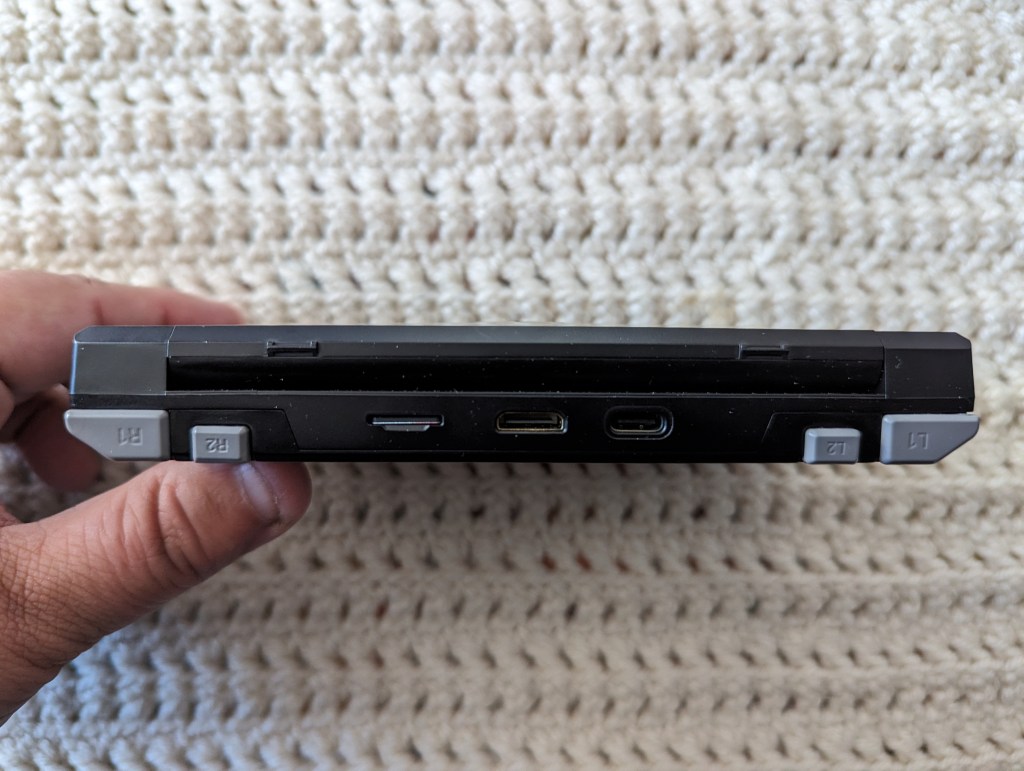
Opening the x18s up we are treated to the large 5.5 inch 720P IPS capacitive touch-screen display.
CONTROLS
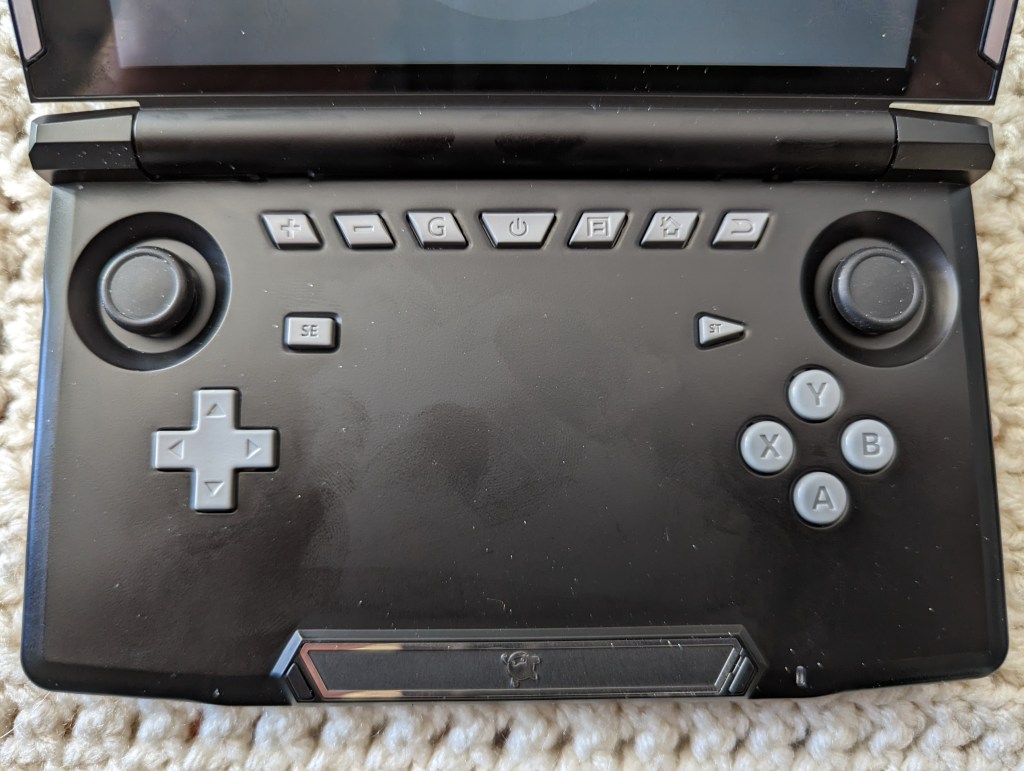
Underneath on the base we have an array of controls. On the left going right we have volume up and down. Then we have a “G” button. When you press this it brings up the x18s’ key mapper for mapping buttons to android games that don’t offer controller compatibility. The centre button is the power button. The next three buttons are your standard Android navigation buttons. I cannot tell you how much I appreciate having hardware buttons for these functions.
In comparison to a Nintendo New 2DS XL the x18s is a bit narrower but it is thicker by about half a centimeter and heavier as well.
Let’s take a look at the game controls. The left and right analogue sticks are located to the left and right of those main system function buttons. They have a really nice rubber top to them and are smoother than Nintendo Switch buttons in operation. These sticks also double as your L3 and R3 buttons.
In between you have your select and start buttons. To the left and down from the select button you have your compact d-pad and to the right of that you have your A, B, X and Y buttons in the Xbox configuration rather than the Nintendo style B, A, Y, X.
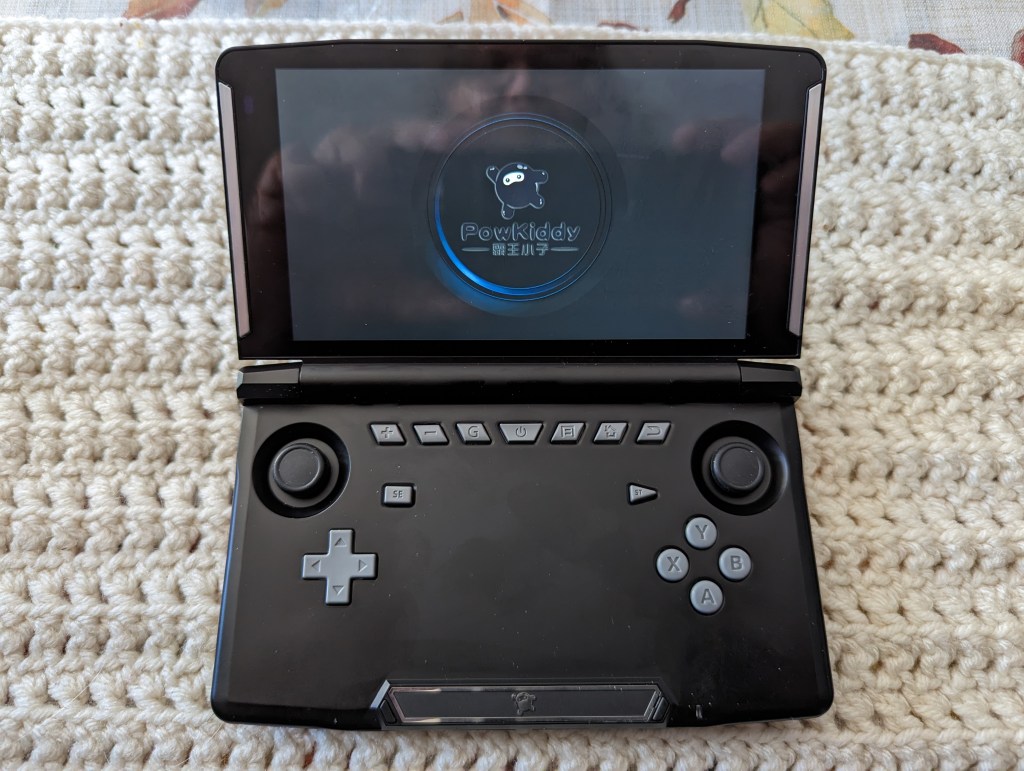
Holding the power button for a few seconds in the centre activates the rumble pack and a Powkiddy loading screen comes up. It does take some time to boot up but once you are in Android the experience is pretty quick. The setup process is very much like setting up a new Android phone.
When that is finished you will be dropped to Powkiddy’s Game Launcher. It’s terrible. I immediately installed Daijisho as my front end and left the Powkiddy Game Launcher to rot. That said, if you want to configure any x18s specific settings you will need to enter the Game Launcher and go to it’s Settings section. This is the only place you can change settings for your A, B, X, Y configuration, whether or not you want the LED backlight on the outside to be on or off and in what style, and set up or modify the Parental Lock. The rest of the settings there are merely shortcuts to the regular Android Settings app.
Daijisho is a great front end for Android retro gaming and I highly recommend it when setting up your handheld. Retro Game Corps has a great guide to setting up Daijisho here.
PERFORMANCE
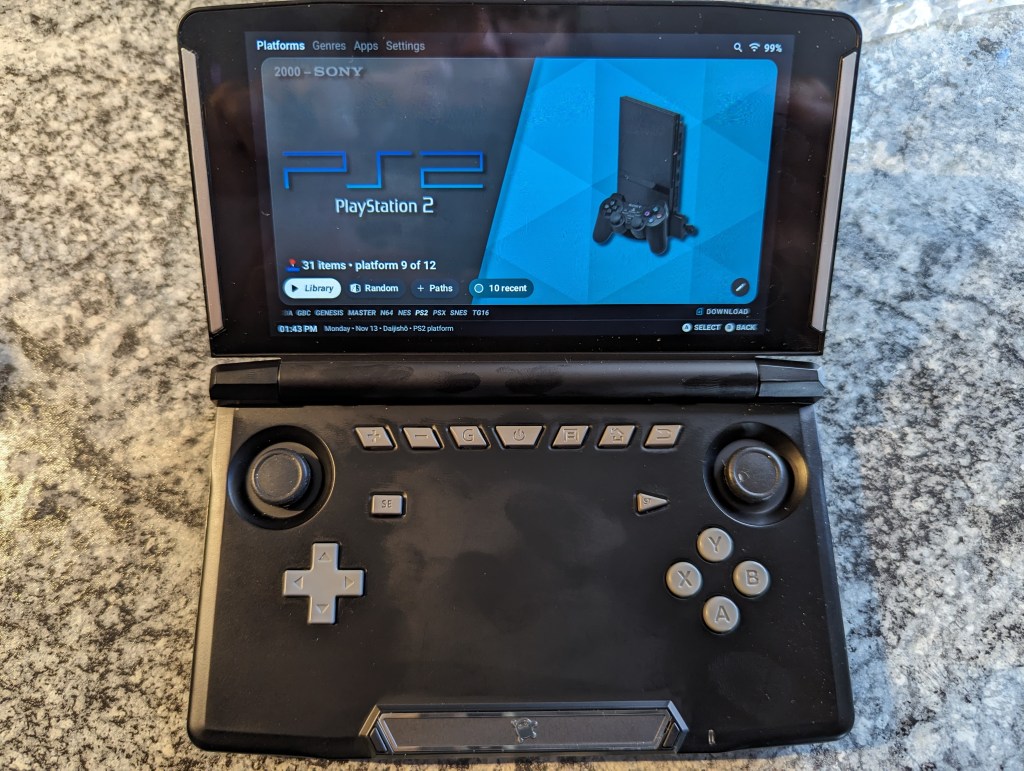
The x18s isn’t just a pretty handheld to look at either. It has some horsepower to back up those looks. Inside we have a Unisoc Tiger T618 that contains two mighty Cortex A75 cores running at 2GHz and six little Cortex A55 cores running at 2GHz. Paired with the T618 we have 4GB of memory and 64GB of on board storage. It also has Wi-fi 5 on board and Bluetooth 5.0. We also have a bunch of sensors like a g-sensor and gyroscope which can potentially be useful in games.
Let’s take a look at a couple native Android games. Forza Horizon Chase is up first. First to note the sound is quite good on the built- in speakers and at maximum volume they do not distort like cheaper speakers often will. On your first start you will want to go into the game settings and make sure that you have the controls set to the gamepad as Horizon Chase will recognize it in the menu but not in the game itself automatically. This game runs well on a lot of hardware and the x18s is no exception. It didn’t miss a beat of the arcade racing action running locked at 60FPS.
Next we have another racing game, GRID Autosport. GRID Autosport does throw up a few warnings that their game is not supported on x18s and encourages you to not play the game. Well, we’re going to play. GRID went out of the way to make it basically impossible to use your controller as is and no amount of setting up the control maps made it playable. Performance-wise the x18s had no issue pumping out a full 60FPS for the short time I played. Playing a game with touch controls only on a clamshell is not a good experience.
As such I think we should look at the real reason to pick up one of these devices, which is retro gaming. The x18s does not come with an SD card and as such has no pre-installed games. I look kinda down on that practice anyway as it is quite illegal to be shipping SD cards with games pre-installed that these companies don’t have licenses for and you do not own. I prefer to use only roms for which I already own physical copies. And to be honest, those are the games I want to play anyway, otherwise I wouldn’t own the games.
I’ll start by saying now basically everything up to and including the original Playstation will run fine on the x18s.
I don’t own a Sega Saturn but I expect in most cases at native resolution will run pretty much fine from what I have researched.
From here things get a little more taxing and harder to run. Dreamcast runs pretty decently with Sonic Adventure and Crazy Taxi. There were no real noticeable slowdowns in either game.
Looking at some N64, everything plays really well with no slow down. That includes Cruisin’ World, Donkey Kong 64, Forsaken 64, Gex 64 – Enter the Gecko, GoldeyEye 007, The Legend of Zelda: Ocarina of Time and Super Mario 64. You may see some slight oddities throughout though the only one I noticed was in Donkey Kong 64. When the Zipper scene transition plays you get the zipper sound and the screen splits in the middle but no actual zipper. Odd but certainly not a deal breaker.
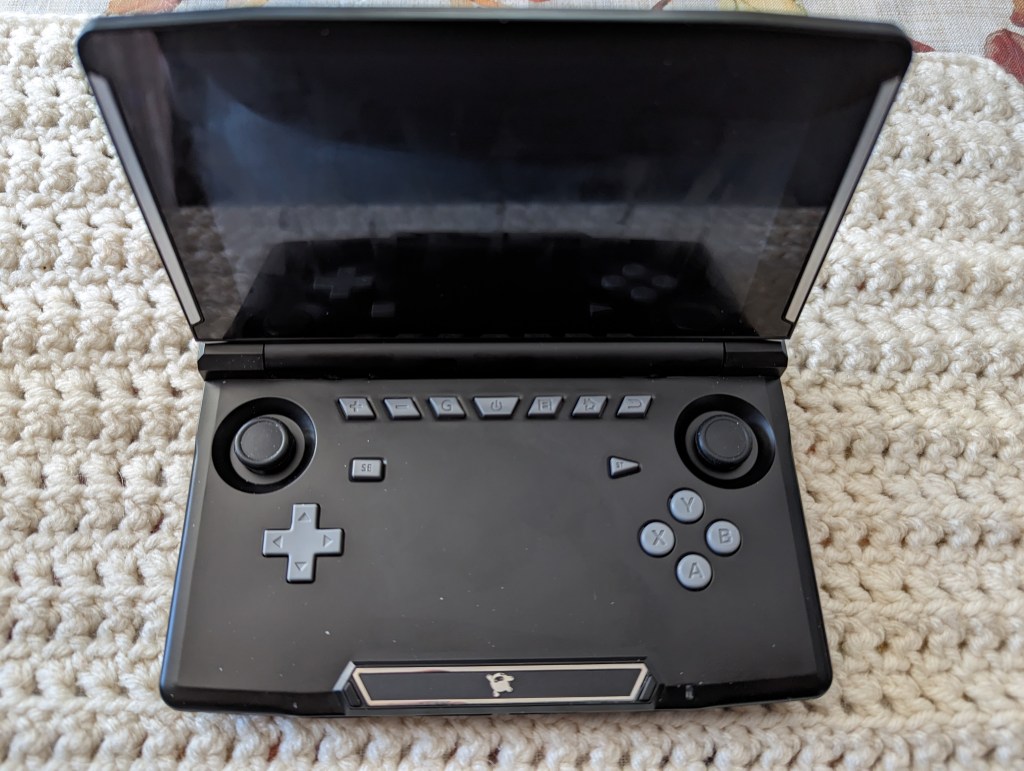
I haven’t done any Nintendo GameCube stuff as I don’t own any games for it right now. I have read that the console is playable for many games but there are a decent amount of games that won’t run great. For instance F-Zero GX is not running well on the x18s.
The console I was most interested in playing on here was Playstation 2. Ace Combat 04 ran slow and the textures for the fighters never loaded. So definitely a pass. Auto Modelista runs a bit on the slow side. It is playable if you are willing to play it at a slightly slower pace. Final Fantasy X runs great. Final Fantasy X-2 does not run great however as the FMVs run slow. The gameplay can be decent enough but when it goes to cutscenes it slows down again. Not a good experience. Final Fantasy XII runs great. Dragon Quest VIII runs too slow to be tolerable. Gran Turismo 3 started out okay but when large areas are displayed it quickly slowed down to about half speed. Kingdom Hearts I and II run pretty well. Slight little hiccups every once in a while but totally playable. Need for Speed Underground runs decently. Prince of Persia – Sands of Time runs well enough to be playable. Somewhat slow in certain places but that game always played a little floaty. Okami runs decently but I didn’t get far. The intro to Okami is more than half an hour long! Persona 3 FES and Persona 4 run fantastic. Soulcalibur II runs slow enough to make it unplayable. Meanwhile, Xenosaga Episode I runs great with minor quick slowdowns every once in a while.
I’m afraid I did not test any PSP but I know that the x18s is pretty great at running PSP games.
Many Nintendo DS games will work as well but stay away from 3DS.
So you can see the sort of power you are working with here. I’d say look at the x18s as a device that can sometimes play some bonus games from PS2 and Gamecube. I wouldn’t be buying it for that.
Now we need to talk about the overall feel of the x18s. I like it quite a bit but there are some glaring flaws that in most cases I can ignore. But not in racing games. The joysticks, while they feel really nice, have a huge dead zone, then suddenly go from dead to almost 100% in a small area. That makes it really hard to drive in racing games. I wish it was better but I don’t see any way to re-calibrate the joysticks.
The rest of the controls are fine. The D-pad feels a bit on the shallow side but responsive. The face buttons feel pretty good to me but again a bit shallow. The L1 and R1 buttons are fine but since they are in line with the L2 and R2 they do feel like they can get in the way. But that is true for so many devices with this configuration.
The sound gets very loud and doesn’t distort. Not a lot of bass but that’s not surprising in a handheld with small speakers and in this price range.
The display is nice and vibrant. It has decent saturation and can get relatively bright. It doesn’t get very dim so it’s not super great for night time play.
Something that bothers most people that have had this console is how much the black finish picks up grease and fingerprints.
What I really like about the x18s is that it is a clamshell device. I was reminded just the other day that I was about to get busy in the kitchen and I didn’t have a surface to put it down on while I cooked. So I just flipped closed the screen and stuffed it in my pocket. This was brilliant because so many of my other devices I would be too nervous to do this. Especially since my ability to put screen protectors on devices completely sucks so I usually skip that entirely. With the screen flipped closed it’s totally protected. And that’s what really sells the form factor for me.
CONCLUSION
Right now the Powkiddy x18s can be found for $193 CAD ($139.99 USD) from Powkiddy directly from their website. The regular price is $298.51 CAD ($216.24 USD) and I could never recommend it at that price. At $193 CAD, it’s still a bit expensive. For $50 more you can buy a Nintendo Switch Lite. While the switch doesn’t have access to a lot of the games you can emulate on the x18s it does have access namely to it’s vast library of Switch games. And you do have access to a bunch of older games as well if you pay for their service. So that can add up a bit over time.
I would say if you want the clamshell experience this is a pretty good option. There are only a few options on the market right now anyways and only two of the three have a decent amount of power under the hood.
POWKIDDY X18S SPECS:
| CPU | Unisoc Tiger T618 |
| CORE COUNT | 8 |
| CORE TYPE | 2 Big, 6 Little |
| GPU | ARM Mali-G52 |
| MEMORY | 4GB |
| STORAGE | 64GB |
| BATTERY | 5000mAH |
 redbluegreen
LATEST TECHNOLOGY
LikeLike